
Use Account settings to manage your verification email addresses and trusted devices.
- Open your profile menu in the top-right corner of TUIO.
- Select Account settings.
- Scroll to 2-Step Verification and Trusted Devices.
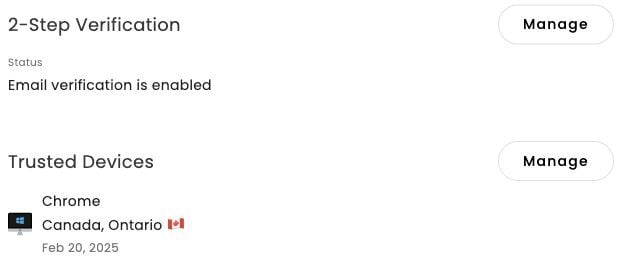
Manage where you receive verification codes
- Select Manage beside 2-Step Verification.
- In the verification dialog, select Manage beside Email.
- Review the addresses listed. Use Add email to add an address, or an address's three-dot menu for available actions.
- Follow any identity-verification prompt before changing your security settings.
- Close the dialogs when finished.
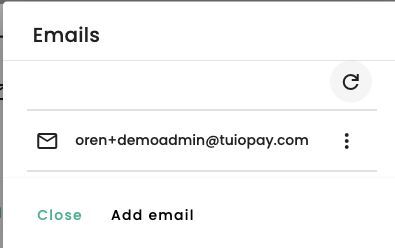
Use an email address you control and can access. If you cannot complete sign-in, contact support@tuiopay.com.
Manage trusted devices
- In Account settings, select Manage beside Trusted Devices.
- Review the listed devices and their sign-in information.
- Open a device's three-dot menu. Use Sign out to end its sessions, or Delete to remove its trusted-device entry. Review any confirmation before continuing.
Only trust a device you control. Do not trust a shared or public computer.
Video walkthrough
The video may show earlier screens. Follow the written steps above for the current controls.
