

Video walkthrough
Further Reading
This guide walks you through accessing and managing parent profiles in TUIO. The following tabs and actions are available when viewing a parent profile.
Accessing a Parent Profile
- Go to the Parents tab.
- Click on the relevant parent’s name in green to open their profile.
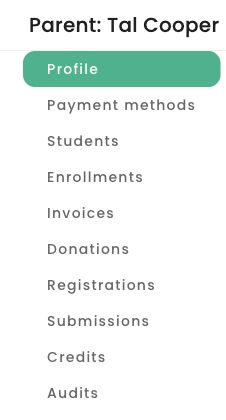
The parent profile groups payment methods, students, enrollments, invoices, donations and other related records into tabs.
Profile Tab
- Check the parent’s status: Active or Deleted.
- Edit the parent’s first and last name.
- If the parent is inactive, you can also edit their email address.
- For active parents, email changes can be done by the parent from the profile menu in the top-right corner, under Account settings, or by contacting TUIO Support - support@tuiopay.com.
- For active parents, email changes can be done by the parent from the profile menu in the top-right corner, under Account settings, or by contacting TUIO Support - support@tuiopay.com.
- Edit the parent’s phone number
- View or edit other profile information submitted on forms.
Payment Methods Tab
- View the parent's payment methods on file
Students Tab
- View all students associated with the parent.
- Access enrollments linked to each student.
Enrollments Tab
- See all enrollments registered under this parent.
- Review invoices and adjust filters to see all records.
Registrations Tab
- View and download all registrations completed by the parent.
Credits Tab
- Create new credits or access existing credits tied to the parent.
Audits Tab
- Review any changes made to the parent profile or related objects in TUIO.
- Use filters to narrow results.