
The video may show an earlier filter layout. Use the current steps below.
Apply program filters
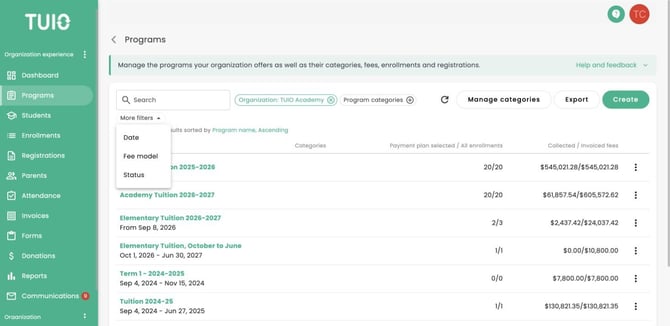
- Open Programs and check the Organization selected above the list.
- Use Search to find a program by name. Use Program categories to narrow the list to the categories you need.
- Open More filters for Date, Fee model and Status.
- To locate archived or deleted programs, add Status and select Archived or Deleted.
- Review the filtered list before exporting or taking action on a program. Clear a selected filter to broaden your results.
For related actions, see How to Manage Program Categories and How to Archive, Delete and Restore Programs.
Programs filters: