

Video walkthrough
Further Reading
If you would like to stop offering a payment plan to families, you can click on the 3 dots on the line of that plan and click Delete.
To control when parents can select the plan without deleting it, open Edit payment plan and set Available from and Available to. See How to Hide a Payment Plan.
Note: If the payment plan has already been set for an enrollment, deleting the plan will not disable it for any students who are already set up for it; it remains on the student enrollment for payment. In this way, you can create a payment plan (for example, if you only want one parent to see it), set it for the enrollment, and delete it afterward (so no other parent has the option available when they set up payment).
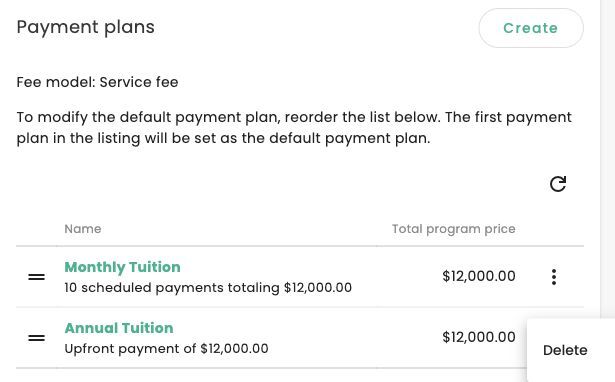
Open the payment plan row menu in the program settings to find Delete.