
An existing enrollment cannot be reassigned in place to a different parent account. Create a new enrollment under the correct parent and archive the old enrollment using Option 3 below. Updating the email address on an existing parent record is a separate process, covered in Options 1 and 2.
Option 1: Parent Account Not Yet Active
If both parent accounts are inactive, your school can update the parent email and notify the new parent about the enrollment:
- Click on the parent's name to edit the email address on their profile.
- Resend the enrollment invitation to the updated email address.
Option 2: Parent Account Is Active
If the parent's account is already active and they simply want to update their email address, they can do so themselves by logging into their TUIO portal and opening the profile menu in the top-right corner and selecting Account settings.
If they are unable to update the email, or you need assistance, email support@tuiopay.com with the account details and request the change.
Option 3: Enroll Under a Different Parent Account
Step 1: Add the New Parent to the Student (if applicable)
- Go to Students.
- Click the three dots next to the student's name and select Add Parent.
- Enter the parent's email address and name.
This adds the new parent to the student and the organization.
Step 2: Create a New Enrollment Under the New Parent
- Go to Enrollments and select Create Enrollment.
- Replicate the original enrollment for the student under the correct parent account.
- Set the correct payment plan and adjust the invoices, as needed.
Step 3: Archive the Old Enrollment
Once the new enrollment is complete, archive the previous enrollment under the original parent account.
Tip: After setting up the payment plan in the new enrollment, click Update to finalize it. Once everything is confirmed and the old enrollment is archived, click Notify Parent to inform the new parent of the enrollment.
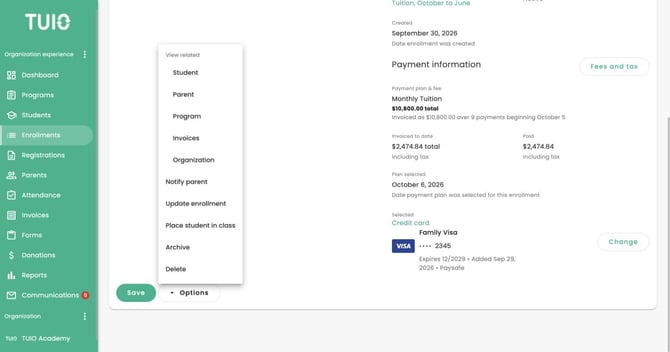
Archive the old enrollment only after reviewing its invoices and arranging the replacement enrollment under the correct parent.